

Overview
Achieving high connection rates often requires multiple attempts, but managing those follow-ups manually is time-consuming and inefficient. The Retry Policy feature solves this by automatically scheduling and executing follow-up calls based on customizable intelligence. By defining precise rules based on either technical call statuses or AI-determined conversational outcomes, you can orchestrate an automated engagement strategy that respects contact boundaries while maximizing your campaign’s reach.Retry Policies act as an intelligent safety net. They ensure that hard-to-reach contacts or calls disrupted by network issues are systematically re-engaged at the optimal time, without requiring any manual intervention from your team.
Key Benefits
Increased Connection Rates
Automatically attempt to reach contacts who didn’t pick up the first time, significantly boosting overall campaign success.
Tailored Engagement
Treat a dropped call differently from a voicemail by creating distinct rules and wait times for different scenarios.
Operational Efficiency
Free your team from manually monitoring failed calls and uploading new spreadsheets for follow-ups.
Contact Respect
Built-in limits prevent over-calling and enforce daily boundaries, ensuring you maintain a positive brand experience.
Defining Retry Rules
The foundation of a retry policy is its rules. A rule tells the system when to try again. You can create multiple rules within a single campaign to handle various scenarios. There are two primary categories of triggers you can use: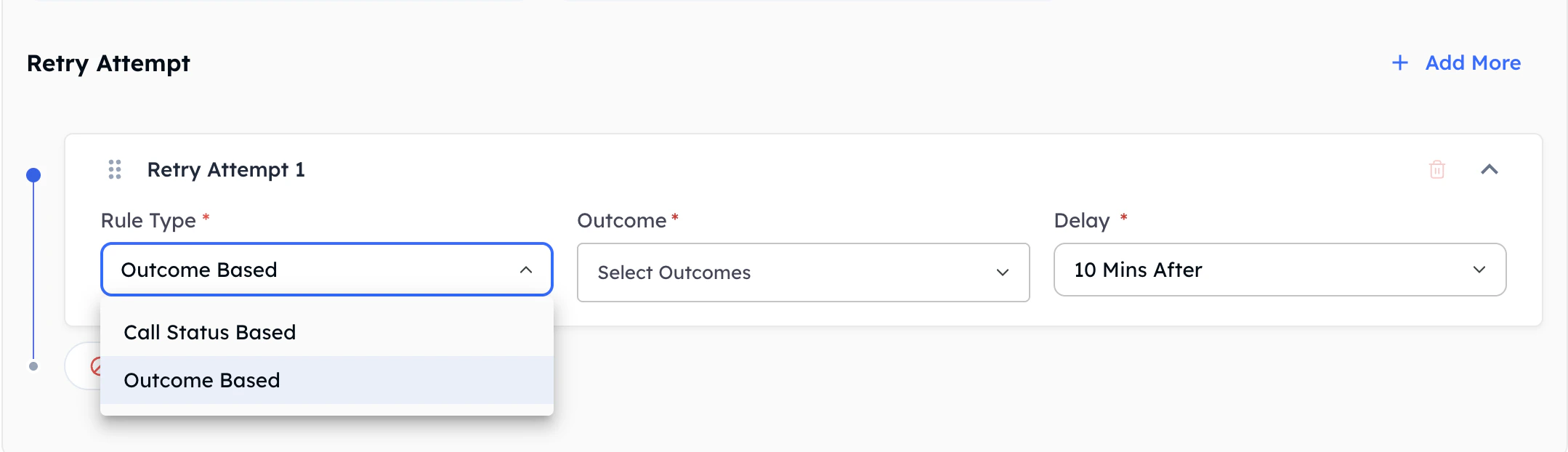
Configuring your policy rules in the dashboard
1. Call Status Rules
These rules are activated by the immediate technical condition or network state of the call, typically before any significant conversational interaction begins. Common Status conditions include:- Call Declined: The recipient actively rejected the incoming call.
- Not Answered: The phone rang continuously but was never picked up.
- Call Dropped: The call disconnected unexpectedly due to carrier network issues, hardware problems, or timeouts.
2. Call Outcome Rules
These advanced rules trigger based on the actual conversation’s outcome, which is intelligently determined by the AI assistant after analyzing the content of the call. Common Outcome conditions include:- Voicemail Reached: The AI detected a voicemail tone and left a message (or hung up).
- Callback Requested: The contact asked to be called back at a later time.
- Custom Dispositions: Any custom logical outcome defined in your campaign’s workflow (e.g.,
busy_driving,requested_more_info).
Configuring Your Policy Boundaries
To protect your contacts from being overwhelmed, the Retry Policy requires you to set strict upper limits. These limits act as a global safeguard across all your rules.
Setting retry boundaries and limits
1
Global Campaign Limit
Determine the absolute maximum number of automatic retries permitted for a single contact across the entire lifespan of the campaign. Once a contact hits this limit, the system will not call them again, regardless of which rules are triggered.
2
Daily Limit
Set a secondary pacing limit restricting the maximum number of retries occurring within a single 24-hour window. This prevents the system from rapidly calling a contact multiple times in one day if they continuously hit a voicemail.
3
Add Your Rules
Add your Status and Outcome rules. For each rule, you will select the trigger condition and set a Wait Time.
Wait Times and Campaign Scheduling
One of the most powerful aspects of the Retry Policy is how it manages time. When a rule is triggered, the system doesn’t necessarily call back instantly; it respects the Wait Time you define.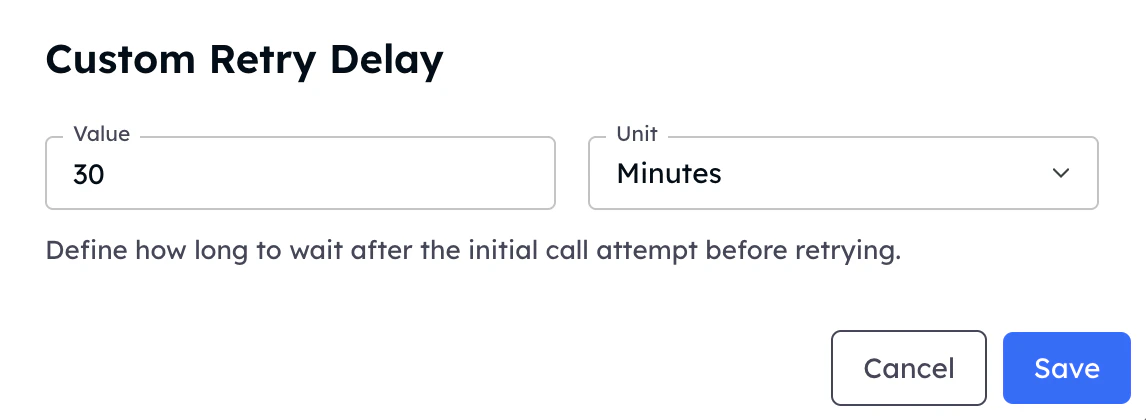
Defining wait times for follow-ups
How Wait Times Function
When a call triggers a rule, the system initiates a countdown based on your defined wait time.- Example: If a call goes unanswered, and you have set a wait time of 120 minutes, the system will queue the follow-up attempt to occur at least two hours later.
Intelligent Schedule Alignment
The intelligent scheduler must reconcile your defined wait time with your campaign’s global operating hours.During Operating Hours
During Operating Hours
If the wait time finishes while your campaign is currently active (within its running schedule), the retry will be initiated as soon as capacity allows.
Outside Operating Hours (Fall Forward)
Outside Operating Hours (Fall Forward)
If the wait time expires while your campaign is paused or outside its daily operating hours (e.g., late at night), the system automatically rolls over and schedules the retry to trigger at the beginning of the next available operating window for that campaign.
Campaign Exhaustion
Campaign Exhaustion
If there are no future operational schedule windows remaining for the overall campaign, any pending retry attempts will be gracefully aborted to adhere strictly to your intended organizational timings.
Industry Best Practices
Stagger Your Wait Times
Implement staggered delays utilizing varying thresholds depending on the trigger. For example, if a call drops due to a bad network, a 15-minute Wait Time is appropriate. But if a call is unanswered, waiting 3 to 4 hours (or trying the next day) often yields better results.